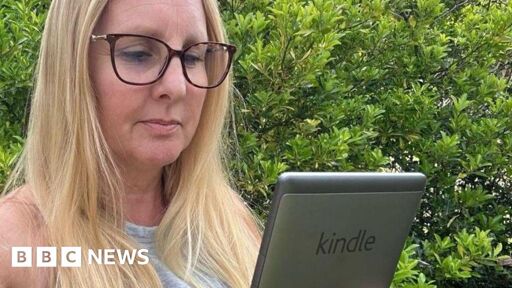
Amazon has told owners it will soon stop supporting older Kindle models - a move which has left some users outraged.
In emails from the tech giant, affected users were thanked for being a “longtime Kindle customer” but told devices released during or before 2012 would no longer receive updates from 20 May.
The move will mean owners of older Kindles, including its earliest models such as the Kindle Touch and some Kindle Fire tablets, will be unable to download new e-books.
Amazon said it has supported affected models for years and their active users have been offered discounts to help “transition to newer devices”, but some have criticised it for making up to two million devices “obsolete”.
“I have a Kindle Touch that I’ve had since 2013, it works great, I bought a book on it a few months ago, and suddenly it’s obsolete,” one X user wrote in a post tagging Amazon.
They do this after they stop letting download what you paid for and transfer via USB.
I downloaded my whole library, cracked all the DRM and dumped the AZWs to ePubs as soon as they announced that, and sent in an account deletion request. When they made it a requirement to use their “cloud” to do anything with your Kindle I knew it was over.
We all knew it was coming, any way to screw us they’ll do it, they don’t need customer service anymore since they killed most competition and people are stuck with Amazon or Piracy.
Personally I’ll send an author a donation if I can’t buy direct from them in DRM-Free formats.
I was looking at a Boox Go Color to add in support for my manga and comics as well as my library of novels but with Android getting really creepy I’m not so sure I want to be tied to what I see as a dying ecosystem again because Boox uses it as their OS.
The Pine64 stuff looks like a good option, but it has no expansion, which was always a problem with Kindle since even their 128GB internal flash of the PineNote (that si much larger than any Kindle version) isn’t enough to load my manuals. That’s actually why I have the 1st Gen Kindle Keyboard, and not the DX, with so little storage and no expansion option the PDF support and a screen large enough to make things locked to formatting for 8 1/2 x 11 readable was pretty pointless.
Well, that’s what happens if you make yourself dependent on outside resources like that.
Older kindles can and should be jailbroken.
Removing DRM is likely completely legal.
* is definitely legal in most of the world
That said, if anyone has better suggestions for a reader that doesn’t involve giving money to a shitty company like Amazon, this would be a great place to post them!
Pocketbook makes nice e readers too! Issue then is mostly with getting books, especially non-drm ones
I recently got a Boox Go Color and really enjoy it. The nice thing is that it runs Android so can benefit from the app ecosystem.
I have a Kobo Clara 2E and like it very much.
I recently got one of my kids a Kobo Clara Colour and it’s great! The Clara is the smaller sized screen, they have a normal sized model as well.
Two awesome things. One, can borrow from Libby directly. Two, with a small edit to a file on the Kobo, you can sync it to Calibre Web so all those books appear magically as books in your account on the Kobo for wireless browsing and downloading!
So if there’s something my kid wants but can’t find on Libby, I can add it in Calibre Web for them.
I have the Libra 2 and love it. Nice thumb rail with page-turning buttons. Doesn’t need jailbreaking to install KOReader or do whatever else I want.
It would probably take a lot of work to make like a wizard for low tech people to use for jailbreaking, right? A relative has brain damage and used to be tech savvy but now gets uneasy about things like that. I could jailbreak it for her, specifically, but I keep thinking about people in her situation who were early adopters of ebooks and would love to keep using the same device but can’t do steps like that anymore.
Sorry I asked this on your helpful comment! It just made me think of that kindle using relative. I second using that wiki and removing drm from all your books.
It is possible but way beyond my ability. I suspect it would be a pretty complex task because it requires keys to be obtained from Amazon, and the process is often a little different for each of the many many versions of the Kindle. Most people would need a tech-capable helper to do it for them.
Honestly, there should be a law requiring software unlocking for any manufacturer-abandoned hardware.
Oo trying this today, thanks!
I think you meant to post this to LeopardsAteMyFace.
The giant evil monopolistic megacorp enshittified another thing?
Wow!
No way!
Unprecedented!
Theres an open source ebook called the PineNote, for those that dont want proprietary software shutting you down.
After I had a Kindle book removed from my account and device years ago, I decided to strip the DRM from my books and host them myself. There are better ways of procuring and storing your media.
What do you use for self-hosting?
I primarily use Kavita to host my personal library because of its UI customization. It’s great for comics and magazines, too. There’s also lazylibrarian and mylar3 for procurement.
Calibre is the main program for doing most things with ebooks. It’s plug-in support allows for things like deDRM that you can use for stripping DRM. There are a lot of tutorials out there for it.
There could very well be better alternatives I’m unaware of, but Caliber has worked pretty well for me. If you’re using a Kobo, though, I don’t think you even need it; it natively supports epub, so you can just connect it to your computer and drag and drop
I can totally empathize, I was so annoyed last year when Pinguin Random House UK stopped releasing security updates, I had to throw away half my books :/
There are so many more brilliant alternative devices.
I jumped a couple of years ago and have never looked back.Suggestions? I still have an early gen kindle (that was ad supported), and I jailbroke it and have been pretty happy with it ever since.
I went with Kobo, it works fabulously, has a good library for me to buy books from. I can download books myself and sideload as needed. Links nicely with Caliber to manage my book collection. Still working fine. I’m mindful that a couple of years is a long time in the tech world, so i’d hope that there are now many more alternatives.
That’s cool! Yea I’ve looked at the Kobo devices. I think for me, the lower cost of the kindle, especially with the ad supported version (which I bypassed by literally never connecting it to Wi-Fi), was a big plus for me at the time. I assume Amazon subsidized some of the cost assuming you’d buy from their store. I just sideloaded all my ebooks of course.
When it dies I’ll definitely be looking for a new option.
They definitely subsidized them. It’s part of their business model.
I just got a Kobo Libre Color and I’m blown away by the quality. For the general crowd it has the same “it just works” appeal as Kindles, but for the tech crowd it’s an open book. You can even ssh into it without the need for jailbreaking.
That does sound temping!
Please please please stop trying to get me to accidentally lose my older Kobo
I’ve been keeping an eye on pocketbook. They collect very little information about you, support all major formats, and seems to support their devices for a long time
I’ll check them out!
Maybe don’t buy Amazon in the future then?
To be fair, 14+ years of supporting a device with software updates does not seem that bad, and the thing if I remember correctly was VERY cheap.
EDIT: Okay, I’m genuinely confused about the downvotes. Why is 14+ years of device support not good, Lemmy?
EDIT2: Okay, I see the problem now. Definitely not like phones no longer getting updates, it breaks the core functionality.
Because it’s a simple e-reader, people should still be able to add books and use the device regardless of store support. They also warn you’ll brick the device if you do a factory reset.
I thought you could manually add books to kindle, but maybe that isn’t the case based on the article.
- When support ends, you cannot download any of your purchases.
- If you factory reset your device, it will not work. Literally, this is what Amazon said. You will not be able to use your device if you ever need to factory reset it.
- The only thing you can do is read the books you already downloaded.
It’s perfectly fine to no longer make updates for legacy hardware. But to prevent users from downloading the books they paid for is absurd. Ebooks are just fancy packaged HTML files. No reason Amazon should prevent you from downloading them.
The average consumer is screwed and will buy a new device. The more technical users will just jailbreak it. Regardless, this will create lots of ewaste as the average consumer is far from technical.