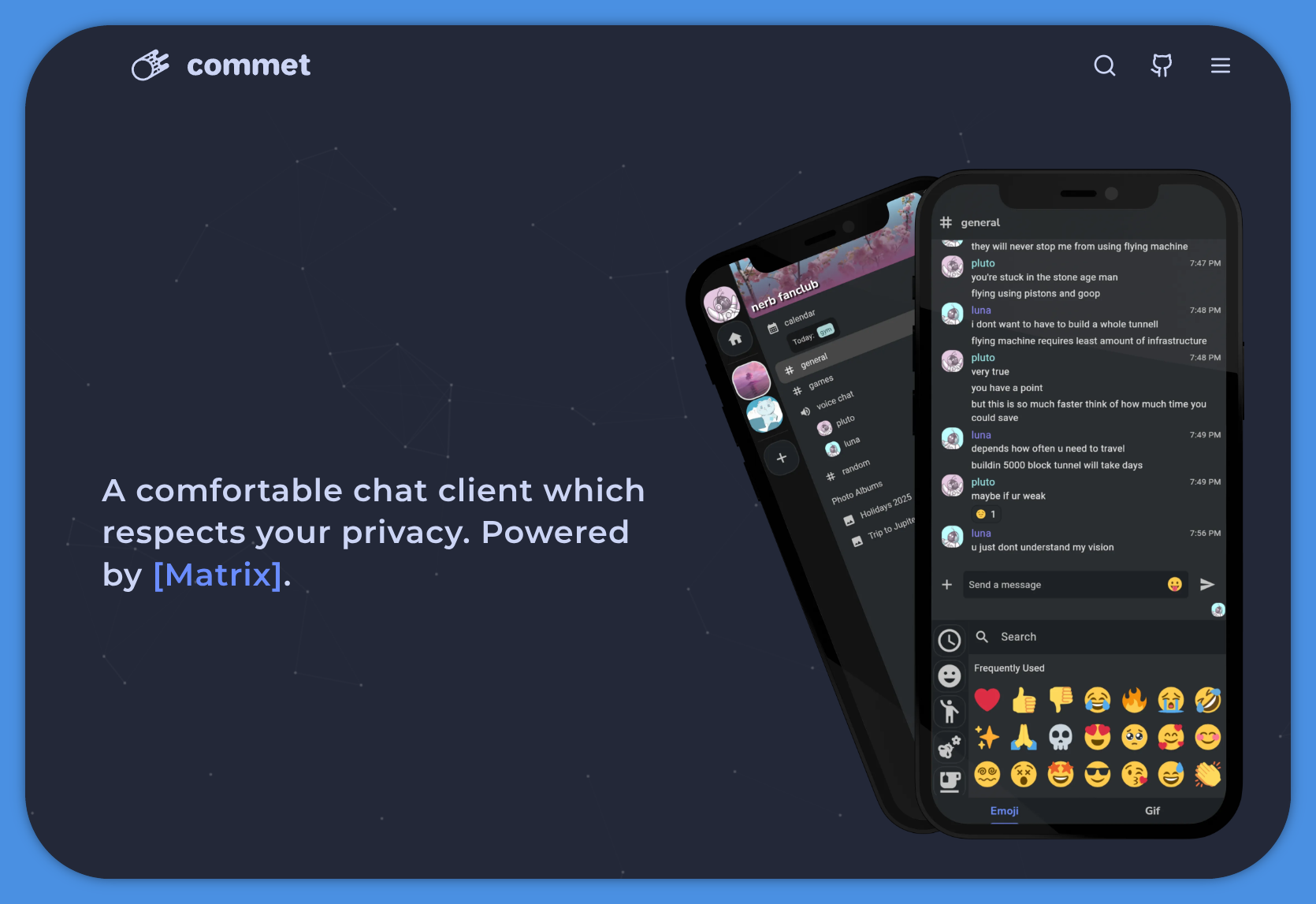
I was immediately gonna comment “but does it support element-call” and to my surprise:
Supporting both, 1:1 calls over WebRTC, and voice channels with MatrixRTC + LiveKit
So to my knowledge this is the first client thats not an element fork that supports the new call system 🎉
Looks like it was added only a week ago, so maybe there will be some bugs, but still im very happy to finally see this in an independent client.
afaik both fluffychat and cinny support it, but they don’t advertise it well.
FluffyChat from my testing just now only supports the legacy 1:1 p2p calls not the new element-call system (here called MatrixRTC + LiveKit) that supports large group calls and performs much better. I dont think cinny supports it either if i look at their changelogs from the last year.
MatrixRTC + LiveKit
That’s emberrassing, I misread people talking in an issue about an open pr (https://github.com/cinnyapp/cinny/pull/2599) with them talking about an existing feature. That pr does seem reasonably close to landing though.
Ooh nice to see, thanks for the link. Once all the major matrix clients support livekit, matrix will be much more recommendable imo. Element works okay on a modern computer, but it really is insanely bloated when you look at what other clients achieve with less than 1/10th of the application size.
deleted by creator
Seems to currently be worked on https://github.com/commetchat/commet/issues/115
That issue is >2 years old and the maintainer hasn’t commented on it at all.
If the Matrix protocol actually implemented E2E encryption properly I would love to use something like this.
Please explain. They don’t have that?
If it’s the problem that I’ve seen people complain about in the past, it’s effectively the same as HTTPS ‘not supporting’ end to end encryption because it runs over IP and IP packets contain the IP address of where they need to go, so someone can see that two IP addresses are communicating, which is unavoidable as otherwise there’s nothing to say where the data needs to go, so no way for it to get there. Someone did a blog post a couple of years ago claiming Matrix was unsecure as encrypted messages had their destination homeserver in plaintext, but that doesn’t carry any information that isn’t implied by the fact that the message is being sent to that homeserver’s IP.
Maybe that would help because I have a really hard time understanding how matrix works.
Ive been using it for many years now and i understand it can be confusing at times. Do you have any specific questions that i might be able to answer? I have onboarded dozens of people at this point and somehow we always figured it out.
So I guess my problem is that I’m used to Discord’s paradigm. You have servers and in the servers you have chat rooms, video conference rooms, and DMs. it pretty much reflects what’s on IRC.
When it comes to Matrix, I have trouble making the parallel. Maybe because of the terminology?
I was wondering if you could help me out in that regard. Knowing that I’m familiar with IRC and Discord, can you explain to me the different terminology in Matrix and how it works?
FYI: Commet really is easier to navigate than Element.
Ok so terminology wise:
- Discord Server = Matrix Space
- Discord DM = Matrix Chat (these usually exist separately from Spaces/Servers)
- Discord chat room = Matrix Room
- Discord video/voice channels = Matrix Video Room (these still have an optional text chat FYI)
If you just want to create something resembling a discord server, you first create a Space.
You can decide if it should be public or private (public = anyone with the address can join / private = invite only)Then you add rooms to it, normal rooms for text channels and video rooms for voice/video channels. During the creation of each of these rooms (or after) you decide if they should be visible to all space members, or be invite only (think mod channels).
Afterwards just invite people to the Space and they will be able to join the rooms you set up.
There are 3 predefined permission levels: Default, Moderator, Admin but you can also define numeric power levels for more fine grained control over what people can do. You can set permissions for users on the Space level and on the room level separately. So you can give someone mod powers for the entire Space or only for a single room. You can also set the default power level very low (think Guest/Applicant) so that people can only join the space itself and nothing else (or only a guest room) until an admin or mod changes their power level to something higher (think member) that allows them to join other rooms.
Some more details:
All of the different types of rooms can exist completely separate from Servers/Spaces or be part of them. The only purpose of Spaces is to create a sort of umbrella that these can all be grouped under. New people can then join the Space and automatically get access to all the rooms that the Space/Server admin wants them to have access to.
So in practice you will have a bunch of personal DMs or group chats that exist on their own, basically like any other instant messenger like Signal or WhatsApp. And then if you have a larger community that requires some more structure you can create a Space, to which you then add whatever rooms you need.
There is a lot of flexibility to this however. Unlike with discord, all rooms exist completely on their own, they arent actually fundamentally tied to a space. So you can detach a room from a space and attach it to another. You can also add preexisting rooms to a new Space. So if you have a group chat with your gaming buddies, but at some point decide you want to expand your group and want to create a Space with multiple rooms, you can just add your original group chat to the newly created space.
So in a way you should think of Spaces not in the same way as Discord servers, but just as an arbitrary grouping of chats and voice channels that also allows you to set access restrictions for all of those chats in a single place.
Sometimes things get confusing. This is the permissions settings page of Space i just created. So why does it say
Give one or multiple users in this room more privileges
Thats because Spaces are actually rooms too, just fancy ones that can have sub rooms. This is bad UI design and should say “space” instead of “room” but thats just where matrix is at right now. Clients like commet will be what solves this for people by giving them a UI with a more familiar terminology.

It’s cool that it “supports threads”, but - as so many other clients - it forgets to actually expose threads! As in: once the initial comment starting a thread slides up in the chat, the only way to access the thread is to scroll all the way up there again.
Fake edit: OK, Commet shows all threads if you type “thread” in search. Still, having a button to do just that would be infinitely better.
Also: no support for polls? :(
The age old matrix problem, every client is uniquely shitty and poorly put together.
I swear the day a feature rich and actually competent matrix client is released is the same day gnome devs will stop having stupid takes and Wayland devs will stop arguing.
And KDE devs will stop assuming they know better than their users…
What kills me is that even the “official” clients (Element, and Element X) are not full-featured. What kills me even more is that Element X (the official “new” app and the “replacement” for Element) supports some additional features over Element, but not all - as in, some things are not possible in it, but are possible in Element.
It’s like it’s run by an insane asylum…
Looks good, I fiddled around with it for a bit. For now, I prefer FluffyChat. I‘m actually wondering how little it is mentioned in the recent pop up of discord alternatives / matrix clients given how polished and easy to use it is.
Good on mobile but on desktop the UI is way too big i find
You’re just never going to convince me to use an app called “FluffyChat”. Same for “Contunuwuity” or other baby-speak “cute” names. Sorry.
Seconding, also prefer FluffyChat, I just don’t really like discord UI, but it’s always good to have more options