
You must log in or # to comment.
okay here me out:
Pipewire is one of the best pieces of software I used. It has a cool ass patchbay and unlike PulseAudio I’ve never had it crash on me. It is the best thing that happened to Linux audio
I was blown away when I connected my phone to my PC through Bluetooth and phone audio started playing through my PC. It just worked without me touching anything
I also really like how “Linux Studio Plugins” are standalone apps that you can run. I don’t produce music or anything but I still use stuff like equalizers and spectrum analyzers. It is insane how flexible the “each app has inputs and outputs you can hook together” architecture is.
PulseAudio probably also had some of these features but I never used those because pulse would fall apart every time I touched it. Pipewire doesn’t
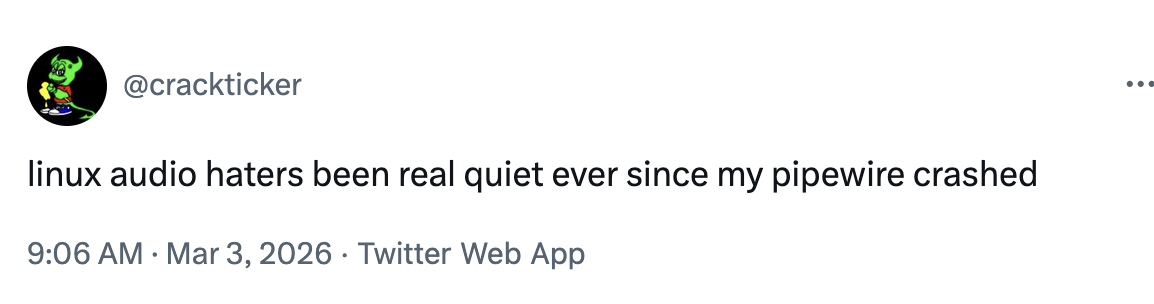
Broken Linux audio is about to become old news
i don’t know about you but broken Linux audio has BEEN old news ever since i started using pipewire
Pipewire has some neat tricks that i use on a daily basis but i can also make it crash on demand so idk :p. I have a restart script in my home directory for that exact reason.
It just does not like audio going out my gpu, together with video, through my receiver and into my tv.
Receiver not on while linux was booting? Guess what, pipewire reboot. Tv goes off because of “inactivity”? Thats a pipewire reboot… And yet i love pipewire haha. But ye, audio issues are still a thing
Have you reported the crashing issue to the developers of pipewire?
Not yet. Ive been too busy tbh. I assume that, like many linux tools, its a bitch to report something. Not just a easy bug tracker or something
From what I found this is their official bug tracker
How is the latency on Pipewire? Have you tried using it for instruments at all?
I also really like how “Linux Studio Plugins” are standalone apps that you can run. I don’t produce music or anything but I still use stuff like equalizers and spectrum analyzers. It is insane how flexible the “each app has inputs and outputs you can hook together” architecture is.
It’s weird that parts of this approach have been around for a long time, but barely anyone can make them all work together out of the box.
Mac has AU Lab that can host AU apps, i.e. Apple’s analog of VST, and feed system audio through them. Plugging any app into another is a bit more involved, though: there was the open-source Sunflower made like fifteen years ago, but bit rot gotten it, and another open-source clone doesn’t work for some reason either — so paid apps are the best recourse, just like on Windows iirc.
Mac also has a feature where one can combine multiple audio inputs into one virtual input. A funny application of this is, if you put the mic into a virtual input and call it ‘Rocksmith Something Something Controller’, you can play guitar with Rocksmith without their special usb device.
Next stop: iOS has an audio bus for connecting apps together just like VST/AU on the desktop (actually I think it’s very same Audio Unit stuff). Android has jackshit, and if you feel that audio latency could be lower, it’ll spit in your face.
Yes. The only times I’ve had any problem with pipewire were when pulse decided to run for some reason and disrupted everything.
Also, I can open a pipewire device, write data there, and not run into C assert faults. I can do this with oss and alsa too, of course, but AFAIK, it’s impossible with pulse and all the Linux DEs ran on pure magic for a decade.
It has a tendency to break my USB audio after updating the kernel. I just have to remember the incantation to restart it though and it seems to fix it.
You can put it in a script.
Easy Effects is such a great app. I like a little bit more bass on my music, and it has presets for that as well!
JamesDSP does most of what Easyeffects does with lower performance penalties.
Have you gotten any amount of stable behavior when two users are logged in?
Oh no not
systemctl --user restart pipewire.service!Pfff why not the sudo reboot now. That’s much better /s
May as well just reinstall the os at this point.
Windows habit
It’s ironic how, just like people make jokes of Linux audio even though it’s been stable for years, people stil joke about Windows throwing BSODs or requiring reinstalls non-stop, even though the last BSOD I had that wasn’t caused by faulty hardware or a weird one-of-a-kind driver issue was… 12 years ago? Something like that.
if you’ve been running the latest windows 11 that’s very good luck
“Latest” as in “Insider”? I’m on the first Patch Ring at work, so I’m one of the five people who get the latest patches, but we’re not Insiders. We had 3 BSODs last week when MediaTek fucked up their WiFi drivers and the devices crashed if connected to WiFi 7.
The previous BSOD I saw at work was 3 years ago. The tech came in, replaced the MOBO and the issue was solved.
A colleague of mine had a BSOD while we were doing our stand-up, and I have had a few over the last few years.
Also, you don’t get to tell us that BSODs don’t count if the driver is written by someone else, that’s not how it works. Otherwise Linux has no audio problem, only alsa does. Completely different thing.
IDK why you’re shilling for them honestly
I have a strange Dual Screen Asus on Intel with mobile arc. About 10% of the time, waking from sleep will crash the taskbar, something about the video driver not being ready yet.
I just wrote a daemon to kick plasmashell in the ass if it notices the bar isn’t there.
ewwwwww SystemD
No, eww is eww. Systemd is systemd.
Systemd haters when you use systemd instead of UltraXinitializer made in 2005 by John Init in C-- that requires you to manually write init scripts and has 894 critical severity CVEs
deleted by creator
SyStEmD iS tHe OnLy InIt SyStEm BeCaUsE wE kNoW nO aLtErNaTiVeS
i use GNU Shepherd btw, thanks for asking (:
now go back writing text files for services and pray for them to werk like the cave people you are
I got your System “D” right here \*grabs crotch\*
Been around since OSS and ALSA was the new kid on the block. Yet to experience these supposed sound issues.
All i can say is, you have been a very lucky individual.
Then you didn’t use your computer for much involving audio.
I 'member having to use a script to do software mixing of multiple audio streams in alsa, so I could listen to a music CD while playing WOW. Otherwise whichever thing started first would grab the audio device and the other thing couldn’t use it. This would’ve been back in like 2006-7.
You must have been blessed by the hardware gods. I had several scripts bound to hotkeys to fix various issues that would occur regularly and this was only 5 or so years ago. Volume would reset, wrong sink would get selected, it would crash, it would crackle, it had bad latency but most of the time it was fine.
Yeah I am also running linux for 20 years or so. Minor hiccups here and there, but sound has been solid generally.
Same, I have it running on several different laptops/desktops, it’s probably a certain piece of hardware.
I’m sure it’s happening to people, just not everyone.
Never buy an HP laptop for linux. They often try to have some gimmicky special audio hardware with terrible driver support
Never buy anything HP
My first experience with switching to Linux a few years ago was on an outdated, at the time, ~$400 HP laptop. Switching from Windows 10 to EndeavourOS, and everything just worked, including audio.
In fact, it still works great whenever I turn it on like a few times a year.
hp victus16 is working fine with wireplumber. never buy hp because the anti customer practices, terrible build quality and supporting israel with hardware.
Never buy an HP laptop for linux.
Same with any Apple Intel based iMac
Driver support is non-existent. Audio via the speakers worked but no volume control, Bluetooth, thunderbolt, mic etc didn’t work. Even the headphone socket didn’t work.
Shit even the gpu (AMD) didn’t work properly. Despite being a 5k panel resolution is stuck at 4k.
Sigh. Would have been a great Linux box if I could have gotten it to work
Edit
Which distro did you use? Or is it the same for all?
Arch
Many hardware companies have the same problem, they can output some decent hardware, but some other series are true lemons (especially for Linux/Unix, but for a lesser extent, for that other system as well). And beforehand, it’s not always easy to know which is which. It’s a common issue with laptop makers where the hardware is often more esoteric.
My elitebook 840 works fine on linux
ty, noted.
Strange I never had any problems with PW, for me it’s probably the most reliable Linux software there is
the bluetooth pipewire pulseaudio mix could be a bit better.
It’s gotten to the point that my bluetooth headphones will not connect to my laptop because I don’t currently have any media playing.
Load up a youtube video, the audio device springs into life, offers it up as pulseaudio source, who signals to bluez that there is a valid audio profile and suddenly everything connects.
From an efficiency standpoint, yes I get it. From a UX standpoint… please just let my earphones connect when I enable bluetooth from the get go
Had to change the quantum because I had audio “cracks”/bug sounds, cutting audio…
Gotta be real here for a moment, the last time I had any sort of trouble with audio on Linux was back in the day when I was still fiddling about with Gentoo. But that was, what, fifteen, twenty years ago?
I have a terrible confession: i have loads of audio issues im dealing with atm. My desktop setup basically gets confused and stops working whenever i try to switch fom headphones to speaker, and my two laptops just do not want to pair with my bluetooth headphones unless i futz with bluetoothctl every time
Anyway, tangent aside. my terrible confession is that i go to linuxmemes for tech support, someone pls help
Try to use a normal computer instead of trying to kick linux into a ATM.
Most ATMs are acually now linux based,. Weeell the new ones anyway. Old ones are still running on XP.
…i thought OS/2 was the industry’s system of choice…
It used to be, but that was a long time ago.
Dépend of thé country, Saw some are on windows 10. I guess windows 11 is too unstable yet.
Do you write in a French accent?
Yep
Not sure, xp might be too new. I’ve definitely seen nt 4 on an ATM before.
I have been using Arch daily for 13+ years and I still don’t have a proper grasp on audio and Bluetooth…
Used raw ALSA, JACK, PulseAudio, and now Pipewire. I had major issues with all of them except ALSA.
I managed to disable devices like my webcam mic and PS5 mic, and even added a noise reduction filter to my real mic that shows up as it’s own device, but…
Only because the Arch wiki told me specifically how to do those things. Audio just luckily seems to work fine for the most part, currently. I used qpwgraph to play with wireplumber and it’s obviously very powerful, but I have no idea how it works :D
Bluetooth is a different story, it seems to work differently on every single device I’ve worked on…
I’ve had a bunch of audio issues crop up for me as well, after upgrading to Pop 24.04 and the new cosmic DE. I used to have keyboard shortcuts that would reliabily switch from headphones to speakers, but those are hit or miss now. And when they miss, I have to go all the way into into alsamixer and unmute things until it works again. Which begs the question, why can’t the normal audio settings UI do everything alsamixer can? Alsamixer isn’t complicated, by any stretch. Literally just lets you adjust the volume of all the things on a particular audio card, and mute/unmute.
I’m going to tempt fate here, you ready?
This hasn’t happened to me since pulseaudio
exactly this
Why is my Bluetooth stuttering
Yours too?
I have linux issues every time I have a “new” machine, and it makes sense. Linux is a volunteer/ opensource project. It isn’t getting chipsets before, and building drivers in advance of hardware releases (at least it mostly isn’t; I understand that some times it does).
Because of that, the newer your harder, the crappier it works. The longer your hardware has been around, in-general, my experience is that Linux becomes an “it just works experience”.
Also, fuck you mediatek 7925e.
I built a new 9950x3d + x870e system last year. trying to use the motherboard’s wifi would kernel panic things. couldnt turn bluetooth on and off. couldn’t control the RGB.
Now, WiFi works great. Bluetooth works great. OpenRGB supports the RGB. Things are great. Took time to get here, but we got here.
9950x3d
🤤
The strong irony is that when high core count and asymmetrical multi-CCD chips started rolling out, they were having CCD pinning issues in windows. But since Linux has a scheduler that has been NUMA awareness for ages… Linux was actually just fine with these things.
Linux was actually better for bleeding edge hardware for once.
How long did it take to work?
I use ethernet for everything, so even now I don’t use WiFi. I only figured out it worked because my internet was out a few months later and needed to connect to a hotspot, and was pleasantly surprised that it was not crashing. I also don’t really mess with RGB or bluetooth, so I cant really comment on those either. The motherboard itself always worked, it was just the integrated chips (it was new wifi 7 chip) that I wasn’t actually using anyway. It may have been fixed in days, weeks… who knows, I wasnt testing it.
tl;dr - sorry, I don’t have a good answer. The board always “worked” for my use case.
Try changing the audio codec in the hardware profile.
Because it’s nervous and under a lot of pressure. Go easy on it.
try disabling bluetooth power saving
try libspa-bluetooth if pipewire
force A2DB profile in pavucontrol or blueman
make sure you have bluez and bluez-utils?
Nah. I’m just gonna hope distros once the paper I’m submitting is accepted and I don’t need this machine again. I think I’m going to go fedora so I can stay closer to bleeding edge on the kernel.
Just use Arch or a derivative like CachyOS, it’s not as scary as you might think
More likely to have broken things though. I‘d recommend an Ubuntu LTS distro for issues like this.
That can have several reasons. Workarounds typically are:
- turn off wifi
- turn off powersaving for Bluetooth and or Wifi
- try increasing buffer sizes (increases latency as well)
- use a different bluetooth headphone or speaker
- use wired headphones or speakers
- try a different distro based on Ubuntu LTS (Mint, Pop, etc)
Find out what Bluetooth or wifi chipset you have. Then research and try various things.
That’s the best thing bluetooth audio can do for you. Much better than anything it does to music.
I definitely remember having to futz with audio a looooong time ago, but honestly getting xf86config to work with my video card and monitor was much more difficult.
The dark days of fucking with xorg.conf files and ndiswrapper to get WiFi working are things I’m glad no longer exist.
I think I managed to skip the ndiswrapper era. I was using Ethernet on desktops and my laptops were Macs. Nowadays my desktop has both wifi and Ethernet, and my laptops run Linux but nmtui just works.
I fucked with Xorg literally yesterday to get my display working
Pro tip: putting the URL in the following character sequence will just show the image in your comment instead of the URL
you can also add a description, mostly useful for accesibility (screen readers for e.g. sight impaired people):

Another tip: Be careful linking images from hosts that you don’t control.
You don’t want to come back and find your funny.gif picture is now displaying a goatse.
Configuring pipewire or pulseaudio is dark magic
I have a python script that take screenshots using pipewire so, I concur…
Ive not been using Linux for long, maybe only 5 years or so. But I’ve never had any audio issues.
My audio needs are not as straightforward as the average user. I play drums over midi into reaper. I have used guitars and mics through my audio interface. My midi controllers work without any issues.
Im using pipewire and running reaper with pipewire-jack. I’ve used mint for years with no issues, and now running debian Trixie with no issues.
It’s mostly an old notion that just won’t die. Especially in the years after its initial release (2004) it was just a disastrous experience sometimes with cracking noises, misconfigured sinks (or outright missing), crashes and - if I still remember one of my first Linux experiences with Ubuntu 8.04 right - the sudden decision to repeat the current audio buffer at maximum volume.
Ever since I came back to Linux on Desktop around 2017 I didn’t had any bigger issues with Pulse either. Ever since Pipewire became the default stuff just works, no issues whatsoever.
Linux user for 20 years: in my days I has to compile X by hand if I wanted a graphic interface.
Linux users for 10 years: kinda worked, sometimes you had to install the same a couple of times with different configurations until one worked for you.
Linux user for 5 years: lmao, this easier than windows.
Flashbacks to having
pavucontrolopen, editingdefault.paand watching pulse crash over and over trying to get echo cancelling workingYou know, I don’t get this joke. I have been using Linux and BSD since 2019, and the only incident I ever had was with
sndio(7), and that was because I decided to switch to the-currentbranch of OpenBSD without heeding the warnings.Apart from that, whether I was using ALSA, PulseAudio, PipeWire, JACK, or OSS (on FreeBSD), I always had a perfect experience.
The joke is they can’t hear them because their audio broke. You’re overthinking it. Lol.
No, that bit’s funny. I mean the running joke about Linux audio being bad.
Oh. To be fair, the PulseAudio days started off REALLY shit and JACK/ALSA had the limitations of “locking” an audio device to a specific process/application, so it used to be much rougher.
Ever since pipewire came along, it’s been really solid.